# Visual Studio Code を Source から build する
### 1. はじめに
2019/12/18 に [Visual Studio Code Meetup #1](https://vscode.connpass.com/event/155068/) に参加しました。
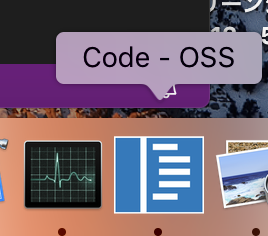
LT で、VS Code のアイコンの種類についてのお話があり、生 Source Code からビルドすると VS Code のアイコンが違うとのことで、興味湧いたので試してみました。環境は macOS Mojave(10.14.6)です。
アイコンはこんな感じです。
 ### 2. 前提条件
mac だと最低限 次を事前にインストールしておく必要がありました。
- Git
- Node.js(version 10.x 以上 12.x 以下)
- Yarn
- python 2.7
- Xcode
私が実際に build した環境は次の通りです。
- git version 2.20.1
- node v12.4.0
- python 2.7.17
- yarn version v1.21.1
- Xcode Version 11.3
あと、特に version 指定はないみたいですが、npm や typescript も必要です。
### 3. Build と 実行
とりあえず、vs code のリポジトリを fork しておきます。
https://github.com/microsoft/vscode
fork したリポジトリを local に clone します。
```sh
git clone https://github.com//vscode.git
```
作業に時間が空いた場合などは、念の為、本家リポジトリから pull しておきます。
```sh
cd vscode
git checkout master
git pull https://github.com/microsoft/vscode.git master
```
あとは、yarn で build します。
```sh
cd vscode
yarn watch
```
module not found で怒られるので、npm install でインストールしていきます。
とくに vscode-node-sqlite3 という module のインストールが必要なのですが、python 2.7 じゃないとエラーになるので注意です。
Build が完了すると scripts のディレクトリが生成されるので、scripts/code.sh を実行します。
```sh
./scripts/code.sh
```
### 3. 確認
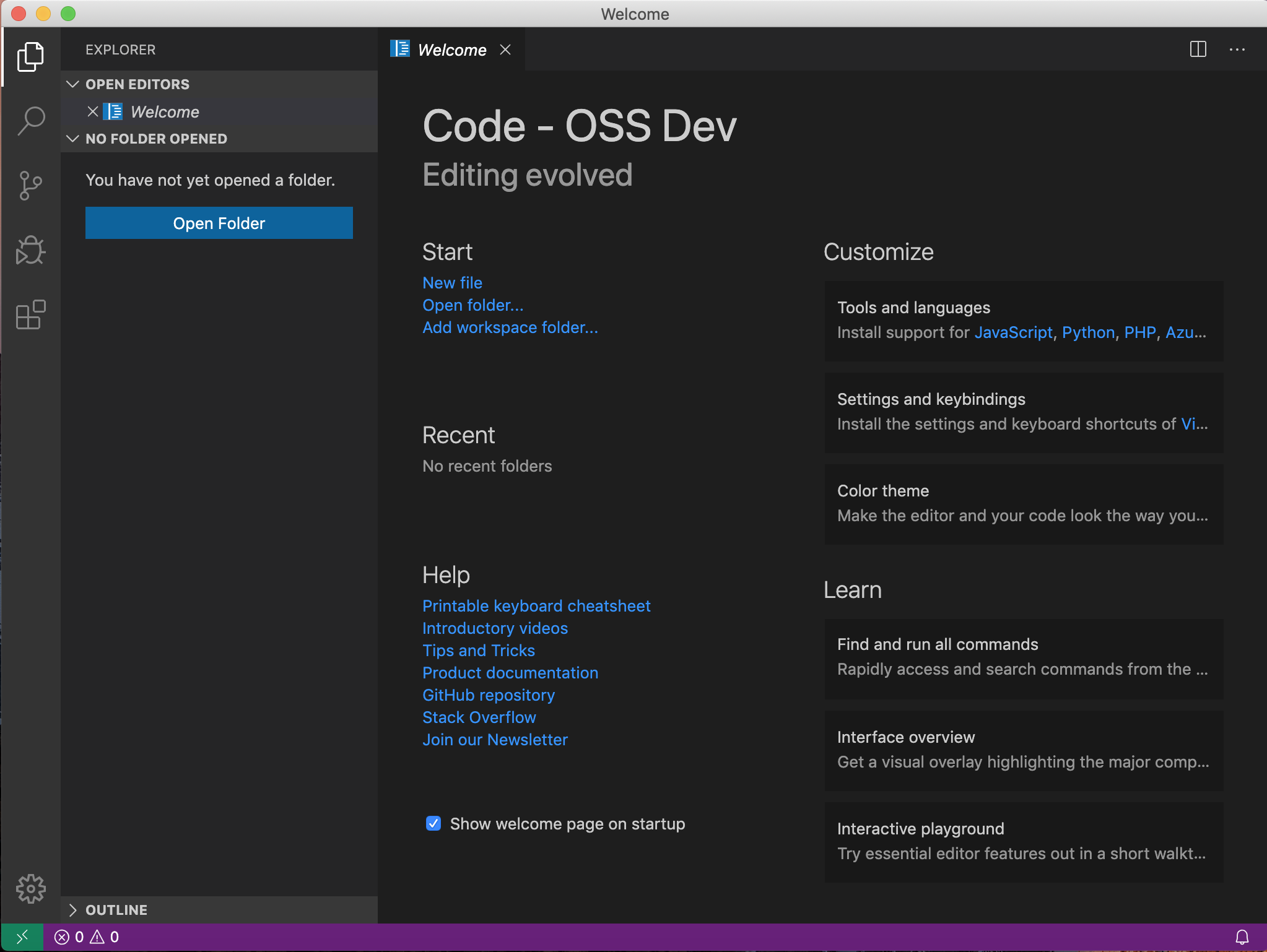
問題なく build できて、実行ができれば次のように表示されます。
### 4. 補足
実行時に次のエラーでうまく動作しなかったけど、どうやら module を build した時に node.js のバージョンが違うかったみたい。
nodebrew 経由以外の node.js もインストールされていたので、どこかの作業でその node.js を使用したのかもしれない。
```sh
Error: The module '/Users/xxx/WorkSpace/github-repo/vscode/node_modules/spdlog/build/Release/spdlog.node'
was compiled against a different Node.js version using
NODE_MODULE_VERSION 72. This version of Node.js requires
NODE_MODULE_VERSION 73. Please try re-compiling or re-installing
the module (for instance, using `npm rebuild` or `npm install`).
```
nodebrew だけに統一した上で、electron-rebuild したら正常に動作するようになりました。
```sh
$(npm bin)/electron-rebuild
```
参考:Electron Rebuild
https://github.com/electron/electron-rebuild
### 2. 前提条件
mac だと最低限 次を事前にインストールしておく必要がありました。
- Git
- Node.js(version 10.x 以上 12.x 以下)
- Yarn
- python 2.7
- Xcode
私が実際に build した環境は次の通りです。
- git version 2.20.1
- node v12.4.0
- python 2.7.17
- yarn version v1.21.1
- Xcode Version 11.3
あと、特に version 指定はないみたいですが、npm や typescript も必要です。
### 3. Build と 実行
とりあえず、vs code のリポジトリを fork しておきます。
https://github.com/microsoft/vscode
fork したリポジトリを local に clone します。
```sh
git clone https://github.com//vscode.git
```
作業に時間が空いた場合などは、念の為、本家リポジトリから pull しておきます。
```sh
cd vscode
git checkout master
git pull https://github.com/microsoft/vscode.git master
```
あとは、yarn で build します。
```sh
cd vscode
yarn watch
```
module not found で怒られるので、npm install でインストールしていきます。
とくに vscode-node-sqlite3 という module のインストールが必要なのですが、python 2.7 じゃないとエラーになるので注意です。
Build が完了すると scripts のディレクトリが生成されるので、scripts/code.sh を実行します。
```sh
./scripts/code.sh
```
### 3. 確認
問題なく build できて、実行ができれば次のように表示されます。


### 4. 補足
実行時に次のエラーでうまく動作しなかったけど、どうやら module を build した時に node.js のバージョンが違うかったみたい。
nodebrew 経由以外の node.js もインストールされていたので、どこかの作業でその node.js を使用したのかもしれない。
```sh
Error: The module '/Users/xxx/WorkSpace/github-repo/vscode/node_modules/spdlog/build/Release/spdlog.node'
was compiled against a different Node.js version using
NODE_MODULE_VERSION 72. This version of Node.js requires
NODE_MODULE_VERSION 73. Please try re-compiling or re-installing
the module (for instance, using `npm rebuild` or `npm install`).
```
nodebrew だけに統一した上で、electron-rebuild したら正常に動作するようになりました。
```sh
$(npm bin)/electron-rebuild
```
参考:Electron Rebuild
https://github.com/electron/electron-rebuild